From your bank texts.
Set up an Apple Shortcuts automation to send matching bank messages to Noted. AI extracts the details; valid account matches can be recorded automatically.
 N O T E D.
Spending, bills, savings and everything you own. Bring it together in Noted, and give your money a little more direction.
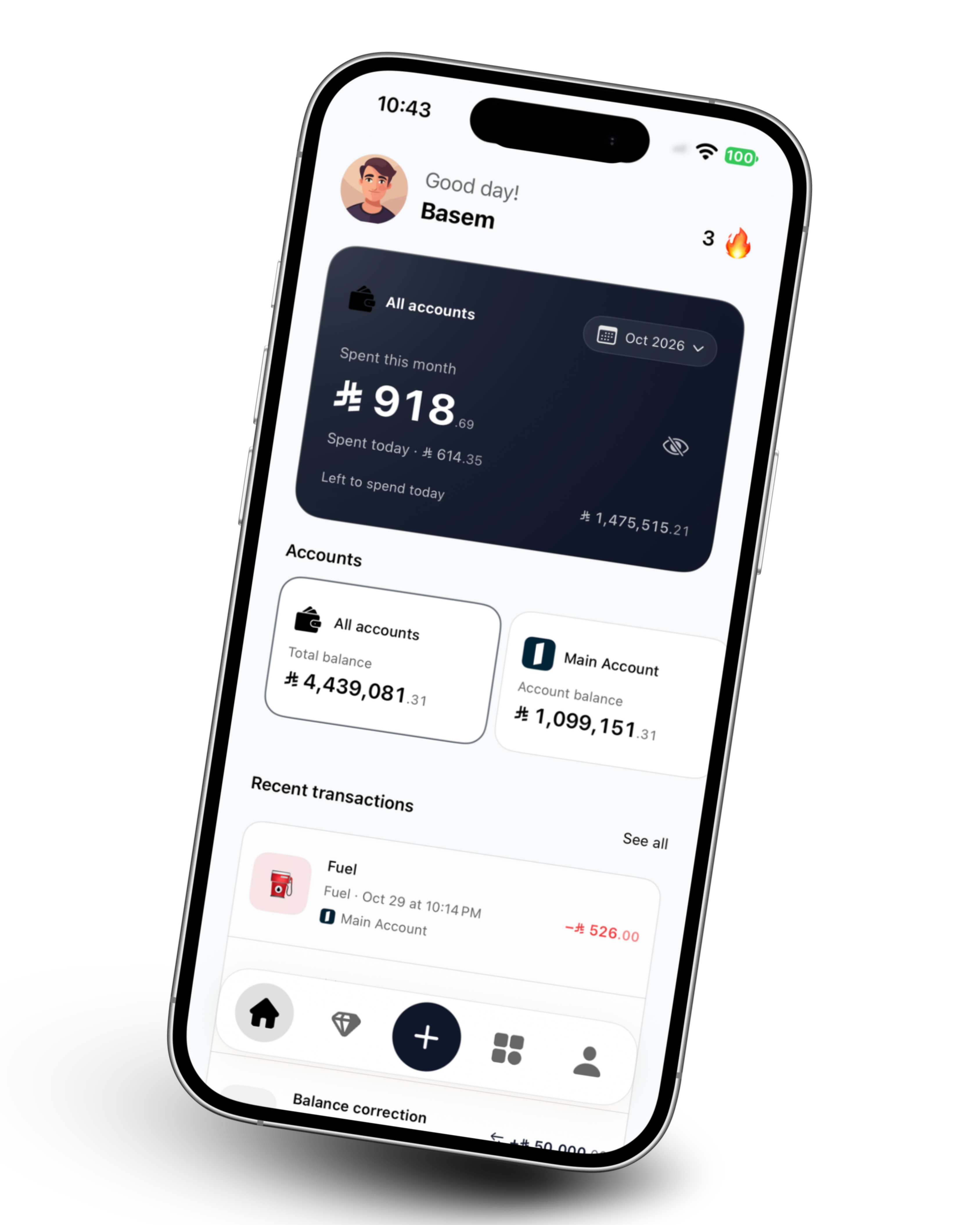
Noted for iPhone
Accounts ✦ Spending ✦ Commitments ✦ Wealth
A quick word. A bank text. A simple entry.
Choose how you make a note of your money.
Set up an Apple Shortcuts automation to send matching bank messages to Noted. AI extracts the details; valid account matches can be recorded automatically.
Record an expense, income or transfer in your own words. English, Arabic or a little of both. Noted can separate multiple purchases into individual entries.

“Coffee for 10, and dessert for 30.”
2 purchases. Two clear records.Prefer to add it yourself? Keep the essentials close: amount, account, category, date and time. Edit a transaction whenever you need to.
A few taps. Everything in its place.
Automatic tracking requires setup and an internet connection. Bank-app notification tracking depends on the automation options available on your device. Unclear transactions stay available for review.
See your included accounts, owned assets and debts in one place. Make room for the next bill, the next goal, and the life beyond your balance.
Follow net worth, account balances, gold, silver and other assets. Combined totals use approximate exchange rates; individual records keep their own currency.
Illustrative data, not investment performance.
See your category budgets and daily spending allowance alongside the commitments you’ve recorded.
Track subscriptions, installments, rent and Money Circles, with due dates and reminders in one place.
Keep manual asset valuations, or use eligible daily gold, silver and currency updates. Reference prices are estimates.
Export your history to CSV. Eligible plans also include custom date-range reports and Excel export.
Noted doesn’t need it. You choose which messages your automation forwards. Optional AI features send the content needed for analysis to Noted’s backend and OpenAI.
Read how your data is handled ↗No. On iPhone, you configure a Shortcuts automation. Noted receives the message content you pass to it; it does not have general access to your SMS inbox or notification history.
No. Noted’s AI processing uses its own backend connection. An internet connection and the appropriate account and plan access are required.
Missing or uncertain details can send it to Message review. Check the account, amount, currency, category and date before recording it.
Yes. Each account keeps its currency. Combined current totals use approximate exchange rates when available; these are not guaranteed bank conversion rates.
Noted is the monthly essentials plan. Noted Pro is the annual plan with expanded features and AI allowances. Final localized prices, limits and trial eligibility are shown in the app before purchase.
Noted is getting ready for iPhone.
Questions in the meantime? We’re one email away.